
Why I Started Using AI Tools In My Architecture Projects
I’ve been working in architecture for years now, and let me tell you the way we design buildings has completely changed. When I first heard about AI tools for architects, I was skeptical. I thought they might take away the creative essence that makes our work so human. But once I started experimenting, I realized something unexpected: these tools don’t replace creativity, they expand it.
Last year, my team spent three weeks testing design variations for a project. Then we tried a generative design tool powered by AI, and within two days, we had 50 strong concepts ready to present. That’s when it clicked for me. AI isn’t here to do our job for us; it’s here to free us to work on ideas we never had time for before.
Today, I’m sharing 20 AI tools for architects to boost creativity. They’re not just fancy tech gadgets they’re practical, inspiring, and built to help architects like us design smarter, faster, and more creatively than ever before.
1. Midjourney
Whenever I need to create visual ideas quickly, I turn to Midjourney. It’s an AI text-to-image generator that turns short written prompts into realistic architecture images in minutes. I often use it to design mood boards, building facades, or even interior atmosphere studies during early concept stages. The results help me see possibilities before I start sketching anything by hand.
The trick to using Midjourney effectively is learning how to write detailed prompts. I include things like lighting conditions, materials, styles, and setting, for example, “minimalist coastal house at sunset, warm lighting, concrete and wood materials.” Once I understood how specific prompts shape the image, Midjourney became one of my go-to AI tools for architecture visualization and concept design. It saves hours while still leaving room for my creativity.
2. DALL·E 3
When I want fast visual ideas that look real, I use DALL·E 3, developed by OpenAI. It works a lot like Midjourney, but I find it understands architectural terms more accurately. When I type prompts like “parametric pavilion with glass roof” or “biophilic workspace with natural light,” it produces design visuals that feel close to what I imagine.
This tool is especially helpful when presenting early concepts to clients. I can instantly generate different style directions, compare ideas side by side, and refine designs faster. DALL·E 3 is also great for AI-assisted rendering or architectural visualization, making it easier to communicate my design vision even before creating detailed 3D models.
3. LookX AI
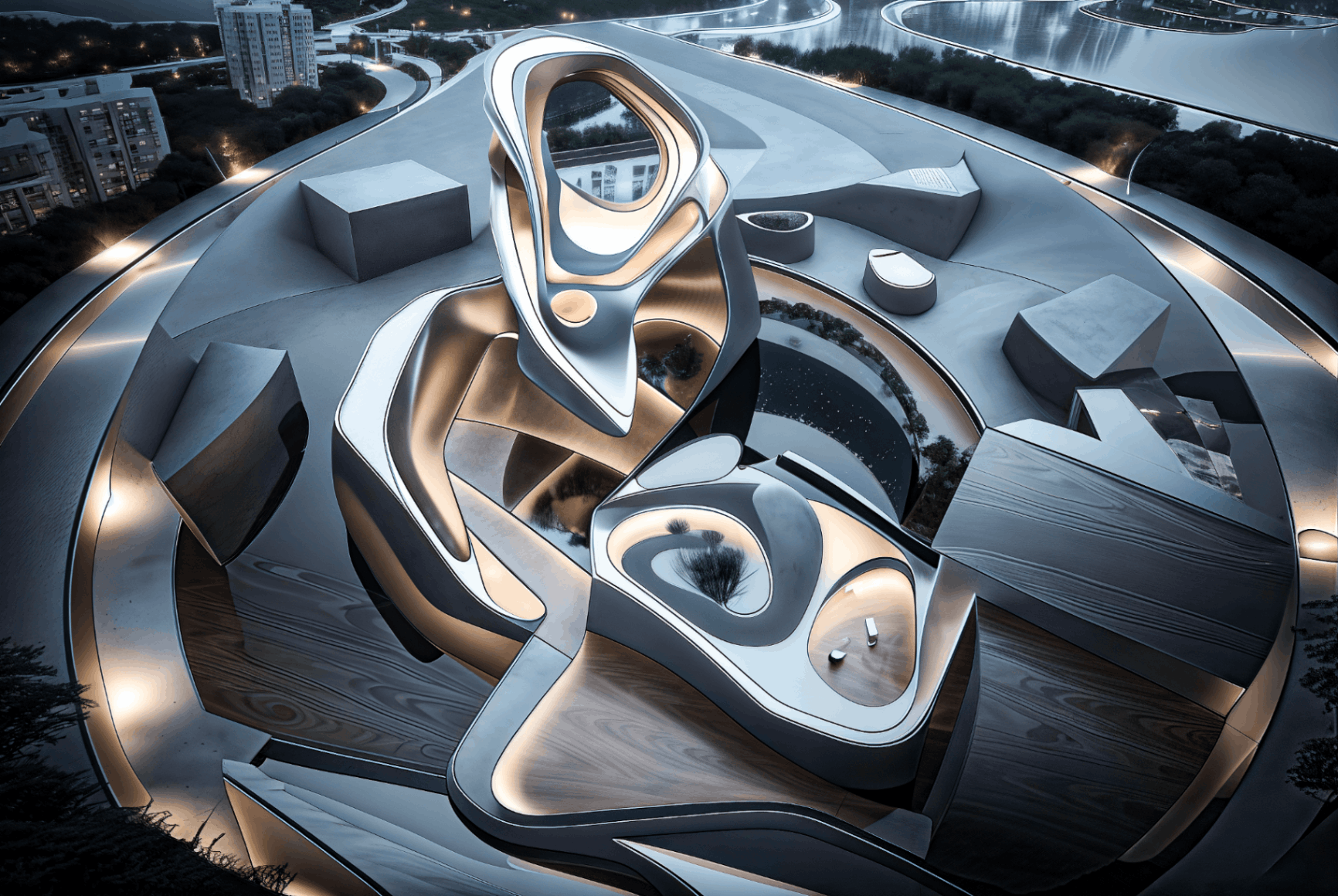
LookX AI is one of the few AI tools made specifically for architects. I like using it because its output looks like professional design proposals, not random AI art. The platform is trained with architectural datasets, so every image feels natural from the proportions of buildings to the use of light and shadow.
What makes LookX AI even more powerful is that I can train it with my own projects. Once it learns my portfolio style, it starts generating new visuals that match my firm’s unique aesthetic. It’s perfect for producing realistic design renders, client presentations, or concept visualizations that align with a studio’s brand.
4. Spacemaker AI (Autodesk)
When I’m working on urban or housing projects, Spacemaker AI by Autodesk saves me a lot of time. It automatically analyzes a site’s conditions, sunlight, noise, wind flow, and views and then generates optimized layout options. Instead of manually testing multiple site plans, I can compare dozens of options in minutes.
It’s one of the best AI tools for architectural site analysis and urban design optimization. I often use it during the early stages of planning to identify which designs offer the best natural light or most comfortable outdoor spaces. With Spacemaker, what used to take me days of manual simulation now takes only a few clicks, freeing me to focus more on creative design choices.
5. Hypar
For architects interested in computational design or parametric modeling, Hypar is an incredible tool. It uses AI and automation to generate entire building systems based on performance goals. I can set parameters like building height, floor efficiency, or energy targets and Hypar automatically creates optimized designs that meet those conditions.
I often use it during early concept phases to test ideas and compare results. It helps me find efficient layouts or explore energy-saving building designs without spending hours on manual calculations. Hypar makes complex simulations and generative workflows simple enough for everyday architectural practice, which is why it’s one of my favorite AI-driven tools for innovation.
6. Arkio
When I hit a creative block, I turn to Arkio, a VR-based design tool that lets me sketch 3D ideas directly in virtual space. It feels almost like sculpting in midair I can grab, stretch, and shape forms naturally while seeing them instantly turn into geometry. The best part is that Arkio connects smoothly with Revit, Rhino, and Unity, so I can move from quick concept sketches to detailed modeling without starting over.
Using Arkio helps me think more spatially. I can step inside my design, look around, and understand proportions in a way that 2D sketches can’t capture. It also fits well into my time management strategies, since experimenting in VR often speeds up the ideation process and reduces rework later in the modeling phase. For me, it’s one of the most exciting AI and VR tools for architects who love experimenting hands-on with form, volume, and space.
7. TestFit
For housing or mixed-use projects, TestFit has become one of my must-have AI architecture tools. It automatically generates building layouts based on zoning, site boundaries, parking requirements, and cost data. Instead of spending days testing floor plans, TestFit handles the number crunching in seconds.
I use it mostly for feasibility studies it gives me a quick overview of what’s possible on a site before I dive into detailed design. Then, I can refine the layouts to improve livability, daylight, and aesthetics. It’s an incredible time-saver that helps architects like me balance design creativity with real-world constraints.
8. Veras By EvolveLAB
Veras is an AI rendering plugin by EvolveLAB, and it’s one of the simplest yet smartest additions to BIM workflows. It integrates directly with Revit, which means I can generate realistic renderings right inside my model without exporting to another program.
I often use Veras for internal design reviews or to test material combinations quickly. It helps me visualize how a space might look under different lighting or textures before presenting to clients. The fact that it runs inside Revit saves so much time, making it a great example of how AI rendering tools are streamlining the architectural process.
9. Archistar
Archistar combines AI, urban planning, and property data to evaluate a site’s development potential in minutes. I’ve used it to analyze plots before client meetings it automatically generates 3D massing models based on planning regulations, sunlight studies, and surrounding context.
What I like most about Archistar is how it blends design intelligence with real-world property insights. It helps me see which sites offer the best development potential, what height limits apply, and how much floor area can be achieved. For early-stage site studies, it’s one of the most reliable AI planning and architecture tools out there.
10. Delve (by Sidewalk Labs)
When working on large developments, I often use Delve, created by Sidewalk Labs (a Google company). This tool uses AI to optimize site layouts for things like density, cost, sunlight, and sustainability. It runs hundreds of simulations in the background and then shows the best-performing design options.
I love how Delve makes my design choices measurable. I can compare options not just visually but also through data things like walkability scores, energy performance, and livable density. It’s a powerful AI tool for sustainable urban design, giving architects clear evidence to justify design decisions during presentations and client reviews.
11. Lumion AI Assist
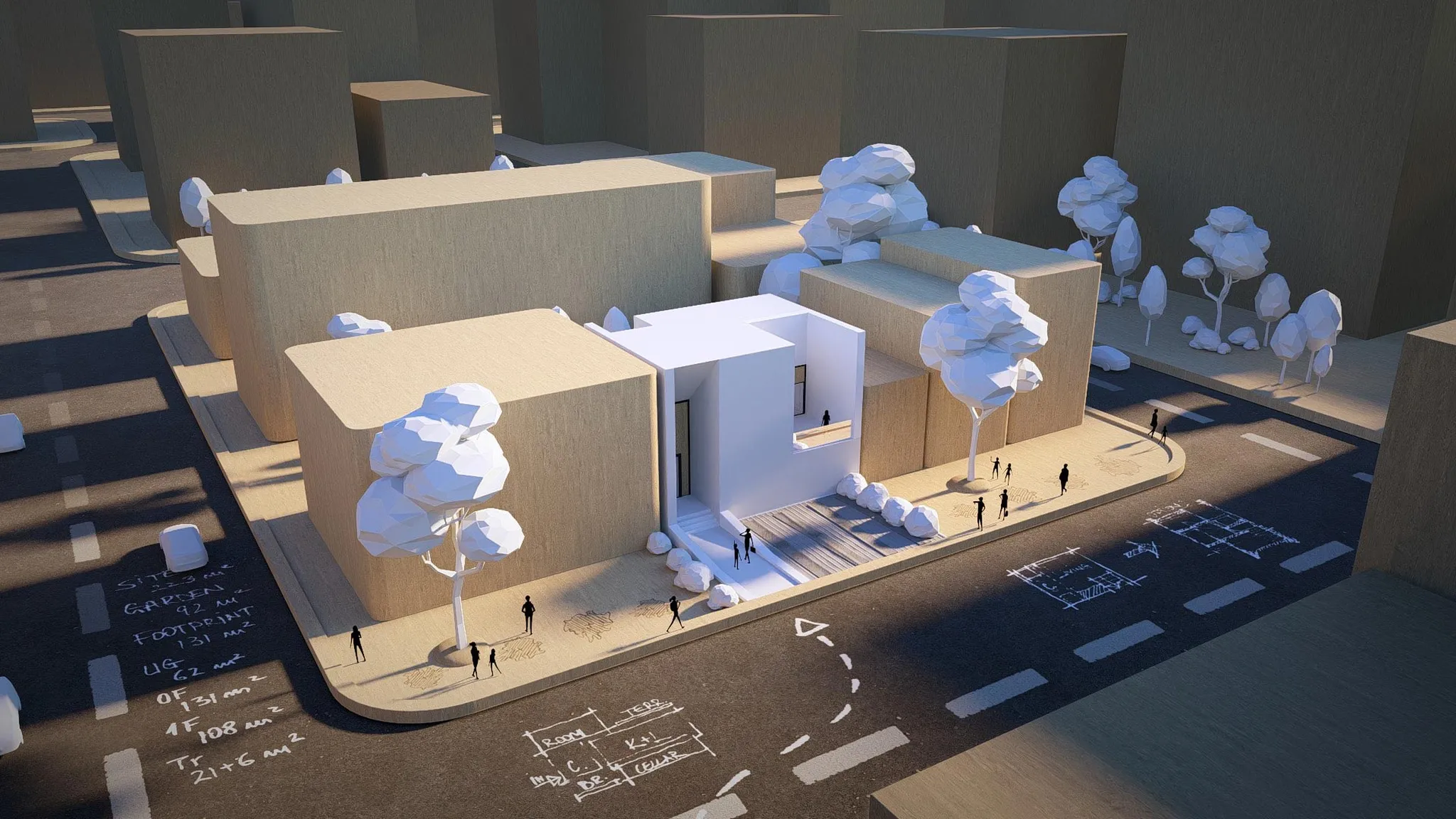
I’ve always loved using Lumion for its quick rendering capabilities, but the new AI Assist has completely changed the game. Now, I can literally tell it what I want using natural language commands like “make it sunset” or “add trees around the pool” instantly bring my ideas to life.
It’s incredibly useful when I’m creating mood visualizations for client presentations. I don’t waste time adjusting settings or placing elements manually. The AI-driven lighting engine feels more intuitive and responsive, helping me focus on atmosphere and storytelling rather than technical setup. For me, Lumion AI Assist is like having a real-time AI visualization partner that understands design intent.
12. Enscape AI Features
Enscape has been one of my go-to tools for real-time rendering, and its new AI-powered features make it even better. It now includes AI upscaling and automatic material enhancement, which means textures look sharper and more realistic without hours of manual tweaking.
These small but powerful updates have streamlined my workflow massively. When I do live client walk-throughs, the visuals now look smoother and more lifelike right from the start. It’s one of those AI rendering tools that quietly improves quality behind the scenes saving time while making every presentation feel more polished and immersive.
13. Kaedim
When inspiration hits and I only have a rough sketch, I turn to Kaedim. This clever AI modeling tool converts 2D drawings into 3D geometry automatically. I just upload a sketch, and within minutes, I get a usable base model that I can refine in my usual software like Rhino or SketchUp.
It’s not perfect I still make adjustments but it gives me a huge head start. Before tools like this existed, turning sketches into models took hours of manual work. Now, AI 3D modeling software like Kaedim helps bridge the gap between imagination and digital form in record time.
14. Arko AI
Arko AI is one of the newest AI design tools I’ve tested, and it’s surprisingly powerful. It lets me describe a space in words for example, “a cozy wooden cabin with glass walls and soft morning light” and instantly generates a 3D conceptual model that captures that mood.
It feels like a mix between Midjourney and SketchUp, making it perfect for early-stage design and concept development. I often use Arko when I want to test an idea visually before diving into heavy modeling work. What I love most is how these quick visualizations help clients understand project scope early on, which often leads to better financial decisionsand smoother approvals before the real work begins.
15. UpCodes AI
As much as I enjoy design, code compliance has always been one of the most tedious parts of architecture. That’s where UpCodes AI has made a real difference. When I upload a BIM model, it automatically checks it against relevant building regulations and flags potential issues.
It doesn’t replace human review I still go through the final checks myself but it catches common mistakes early. This simple automation saves hours and reduces the risk of costly revisions later. For any architect juggling multiple jurisdictions or building types, UpCodes is one of the most practical AI tools for regulatory compliance available today.
16. Swapp AI
Swapp AI has been a huge help on large projects where documentation can easily get overwhelming. It connects with my BIM data and automatically generates drawings, schedules, and even cost reports. What used to take a team days now takes just a few clicks.
The real value of Swapp is how it keeps data consistent across all project stages. I’ve seen fewer coordination errors and much faster document turnaround. For architects and project managers, it’s an essential AI automation tool that frees up time for more meaningful creative and technical work.
17. Autodesk Forma
Autodesk Forma, which evolved from Spacemaker Pro, focuses on early design and environmental analysis. I often use it to test daylight, wind flow, and energy performance while shaping my massing models. The platform provides instant feedback on how design choices affect comfort, energy, and sustainability.
What I appreciate most is how Forma blends creativity with environmental responsibility. It encourages me to make sustainability decisions right from the concept stage not as an afterthought. It’s one of the best examples of how AI-driven sustainable design tools are reshaping the architect’s workflow.
18. Monograph AI Insights
When managing multiple projects, I rely on Monograph’s AI Insights to keep things on track. It analyzes budgets, time allocations, and team performance, turning complex project data into visual dashboards that everyone can understand.
This has helped my team make smarter decisions not just creatively but financially. I love how Monograph makes AI project management feel intuitive rather than technical. It bridges the gap between design passion and business performance, which every growing architecture firm needs to balance.
19. Notion AI
Notion AI has become my digital workspace. I use it to organize client notes, project documentation, design ideas, and feedback summaries. It can automatically create task lists, summarize meeting notes, or draft quick outlines for project reports.
The biggest advantage is how searchable and structured everything becomes. No more scattered files or forgotten notes everything lives in one place. I even use it to categorize references and inspirations related to different architecture styles, which helps me stay consistent when switching between projects. For architects managing multiple design phases, Notion AI acts as a personal AI assistant for project organization and documentation clarity.
20. ChatGPT
Finally, there’s ChatGPT, a tool I use almost daily. It helps me write client emails, summarize zoning regulations, draft design proposals, or even brainstorm creative project names. What makes it so effective is learning to ask the right, context-rich prompts.
It doesn’t replace expertise it enhances it. ChatGPT helps me think faster, communicate better, and stay focused on what really matters: design. In many ways, it’s like having a versatile AI architecture assistant that adapts to every stage of my workflow.
People Also Ask
What Are The Best AI Tools For Concept Design?
Midjourney, DALL·E 3, and LookX are excellent for visual brainstorming. They help you explore mood, style, and form before modeling.
Can AI Tools Replace Architects?
No, AI can generate options, but architects bring human judgment, cultural understanding, and empathy. It’s a collaboration, not a replacement.
Are AI Tools Expensive?
Some, like Spacemaker or Delve, are enterprise-level. But others Midjourney, Veras, Notion AI are affordable monthly subscriptions.
What's the best AI for creativity?
- Descript - All-in-One Video Editing for Creators. ...
- Canva Magic Studio - Instant Design Assistance. ...
- Midjourney - Stunning Visual Concepts via Prompt. ...
- Copy.ai - Script & Caption Ideation on Autopilot. ...
- Soundraw - Royalty-Free AI Music That Fits Your Vibe. ...
- Notion AI - Creative Ops & Ideation, Organized.
Final Thoughts
Architecture has always balanced art and technology. AI doesn’t change that; it simply adds new brushes to the creative palette. When used thoughtfully, these tools can help us design faster, smarter, and more sustainably without losing the soul of architecture.
My advice? Don’t fear AI. Learn it. Shape it. Let it amplify your creativity, not define it. The future belongs to architects who know how to collaborate not just with clients and engineers, but with intelligent systems that push our imagination further than ever before.